Paralives Beginner's Guide
May 25, 2026
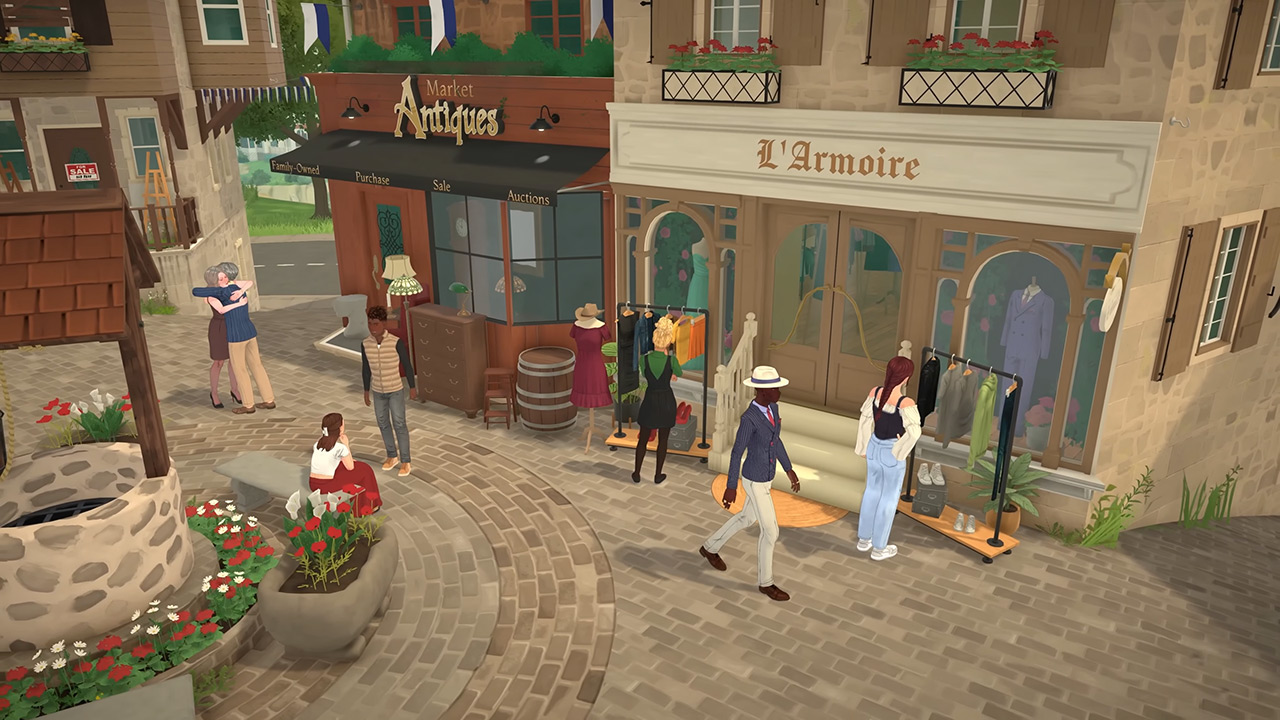
Paralives Beginner’s Guide – Getting Started in Early Access
Paralives Early Access 2026 | Last Updated: May 25, 2026
This guide will walk you through your first hours in Paralives, covering character creation, core systems, building basics, careers, and essential tips to help you start your life in Melino with confidence.
Creating Your First Parafolk
Your journey begins with Paramaker, the game’s character creation tool. You’ll even start customizing your Para on the train before arriving in town.
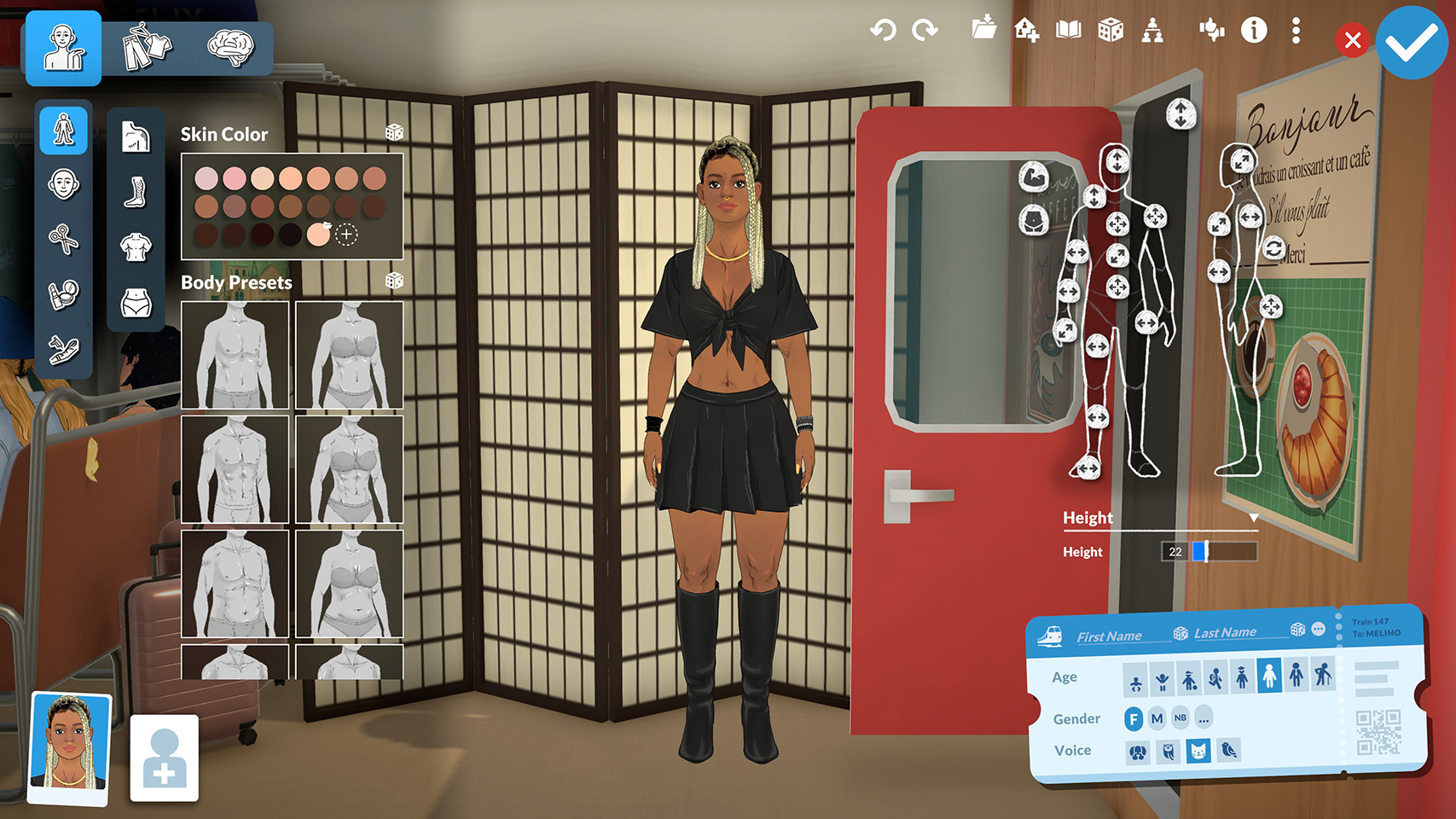
- Adjust physique, height, facial features, clothing, and tattoos with full sliders and asymmetrical customization.
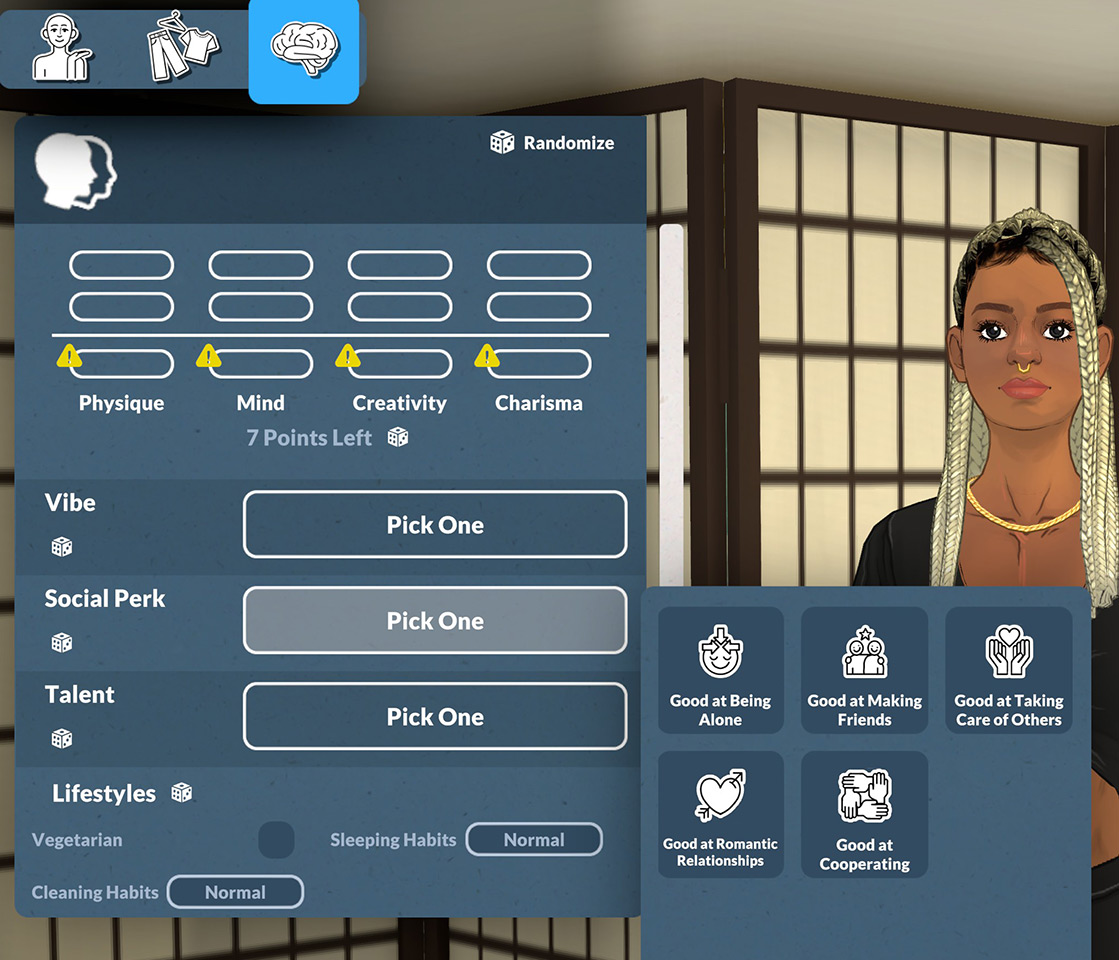
- Set Stats (Physique, Mind, Creativity, Charisma) to shape your Para’s core potential.
- Pick a Talent to boost growth for skills like Music, Fitness, Art, or Technology.
- Unlock Traits using Personality Points to define behavior and autonomy.
This setup lets you build a unique character that matches your playstyle right from the start.
Moving to Melino
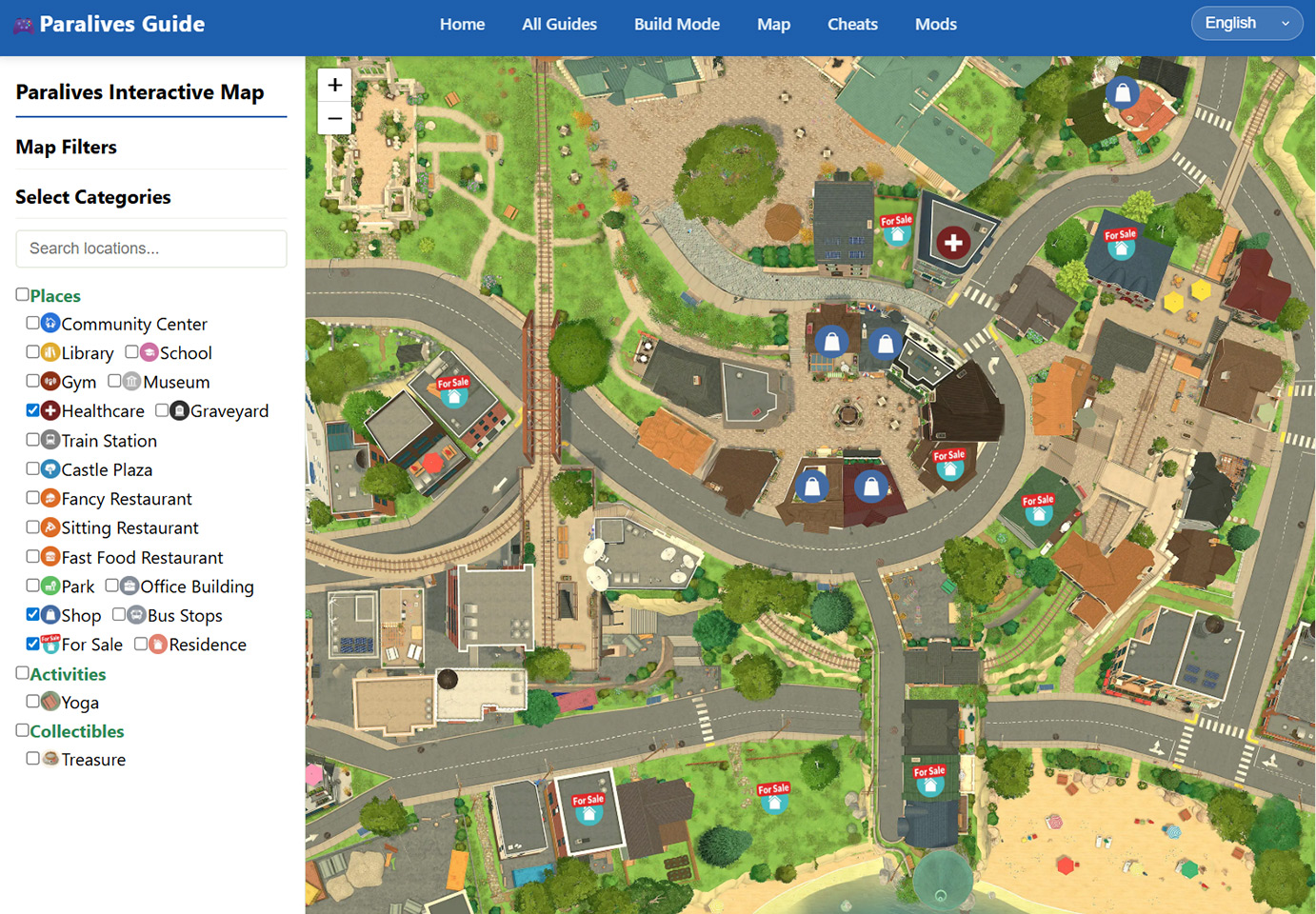
Once you arrive, you’ll choose a lot in Melino — the game’s open‑world town with many distinct neighborhoods.
- Pick a spot that fits your vision: cozy cottage, modern loft, hillside home, or quiet suburban plot.
- You can start with a pre-built home or jump straight into Build Mode to design everything from scratch.
- Explore the town to find parks, shops, restaurants, museums, and community areas for activities and socializing.
You can refer to my interactive map to find a suitable place to move in.Easily check prices and locations.Click here to open the interactive map
First Starter Quest Guide
Once you’ve finished creating your Para and purchased your first home, you’ll unlock your very first starter quest to get your new gameplay journey off the ground. This simple introductory quest includes three easy objectives to help you get familiar with core basic gameplay:
1.Find a Job.
2.Place a Decorative Item in Your Home.
3.Cook a Meal.
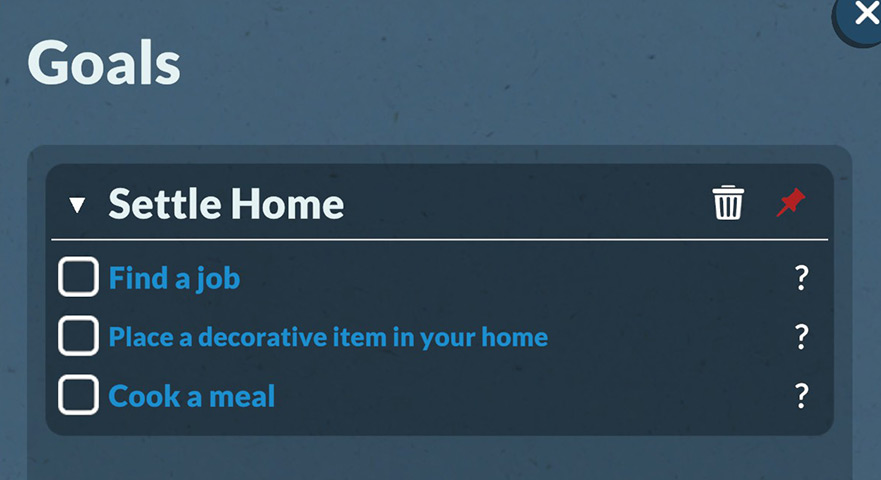
Follow the steps below to complete them effortlessly.
First up, secure a job for your Para. Simply click on your character to bring up the interaction menu, select the phone option, and tap the find a job function. Browse through the dynamic in-game job listings and pick any career path you prefer to kickstart your Para’s professional life.
Next, decorate your new home with a decorative item. Press the TAB key to switch to Build Mode. Navigate to the decoration category, select a small flower pot or any decorative item you like, and place it anywhere inside your house to finish the second objective.
The final step is to cook a meal. Click on your household fridge, browse the available food recipes, and choose any meal for your Para to prepare.
Once you’ve completed all three tasks, your first starter quest is officially finished! Most importantly, your Para will now have a steady source of income from their new job. This salary lets you pay regular household bills, keeping your household running smoothly and supporting your long-term career and life progression in the game.
Core Daily Systems: Needs, Wants & Emotions
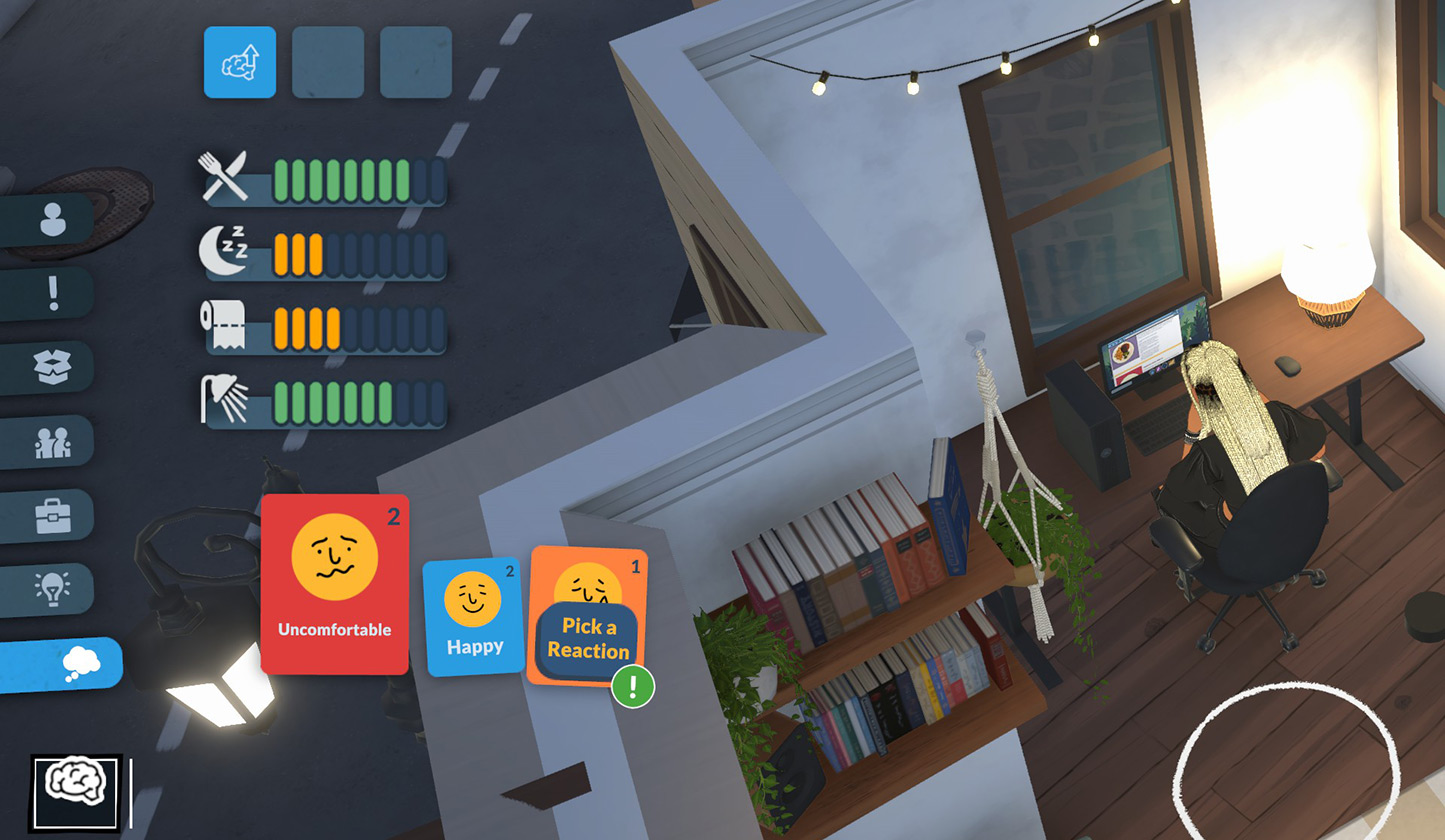
These three systems control your Para’s mood, behavior, and progression.
Needs
Four essential meters that decline over time: Hunger, Energy, Bladder, Hygiene. Keep them filled to avoid negative emotions and slow progression.
Wants
Short-term, spontaneous desires tied to Needs, Traits, and environment. Fulfilling them gives small rewards, boosts mood, and earns Personality Points.
Emotions
Dynamic states triggered by events, social interactions, or unmet Needs. Positive emotions speed up skill gain; negative emotions harm performance and relationships.
Build Mode Basics
Build Mode is one of Paralives’ biggest highlights, with total creative freedom:
- Press TAB to enter Build Mode.
- Use grid‑optional building for precise layouts or free‑form angles.
- Create curved walls for unique, organic shapes.
- Resize windows, doors, and furniture by dragging.
- Sculpt terrain: raise, lower, smooth, or carve the land to fit your design.
- Place items anywhere with no strict placement limits.
You don’t need to build a mansion on day one — start with a simple, functional home to meet your Para’s basic needs.
Careers & Skills
Careers
Paralives includes 51 unique careers across 11 categories, such as Software Development, Art, Service, Music, Education, Management, and Healthcare.
- Choose a career that matches your Para’s Stats and Talents for faster promotion.
- You can hold multiple jobs if schedules don’t overlap.
- Each career has set hours, salary, and performance goals.
Skills
Level up skills through practice:
- Creative: Painting, Graphic Design, Piano, Guitar
- Physical: Fitness, Dance
- Mental: Programming, Logic, Problem Solving
- Practical: Cooking, Gardening Skills improve task quality, unlock new options, and boost career performance.
How to Make Money
- Start with a basic career for steady income.
- Sell paintings, baked goods, or crafted items.
- Complete Wants and goals for bonus cash.
- Use town activities and collectibles to earn extra funds.
Essential Beginner Tips
- Focus on keeping Needs full first — this stabilizes emotions and speeds up progression.
- Start small in Build Mode; master basic tools before complex projects.
- Pick Talents and Traits that match how you want to play, not just what looks “strong”.
- Socialize with other Parafolk to build relationships and unlock social perks.
- Explore Melino to discover shops, events, and hidden items.
- Save frequently, especially before using Build Mode extensively.
This guide covers the core launch systems of Paralives Early Access. New features and improvements will arrive in free updates as development continues.