How to Adjust Light Color & Brightness
May 28, 2026
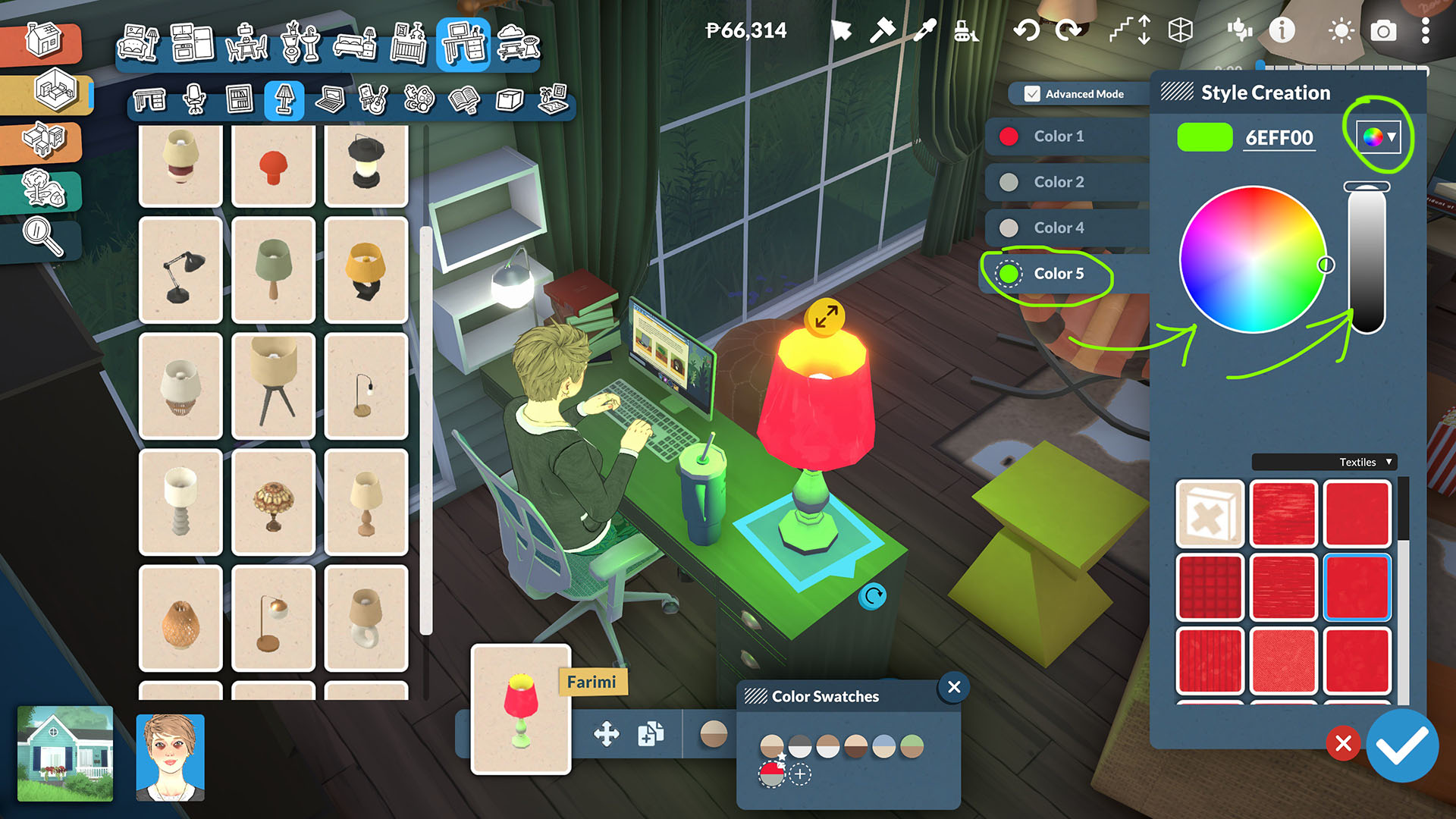
How to Freely Adjust Light Color and Brightness in Paralives (Advanced Mode & Color Wheel Tips)
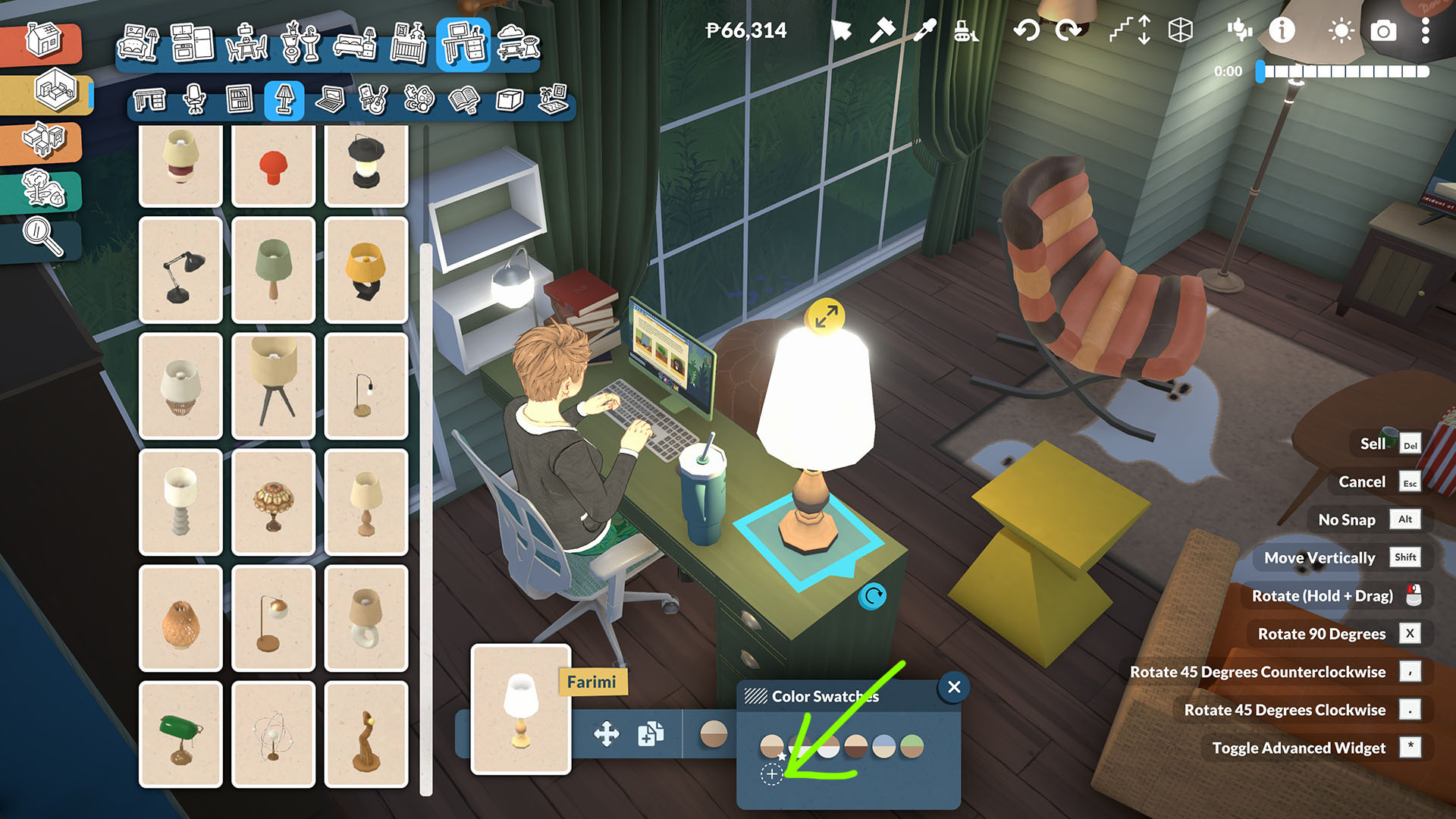
Let’s start by placing a table lamp. Look for the ‘Adjust Color’ option and click the ’+’ icon at the very end — that’ll bring up the menu where you can customize the colors of different parts of the lamp.
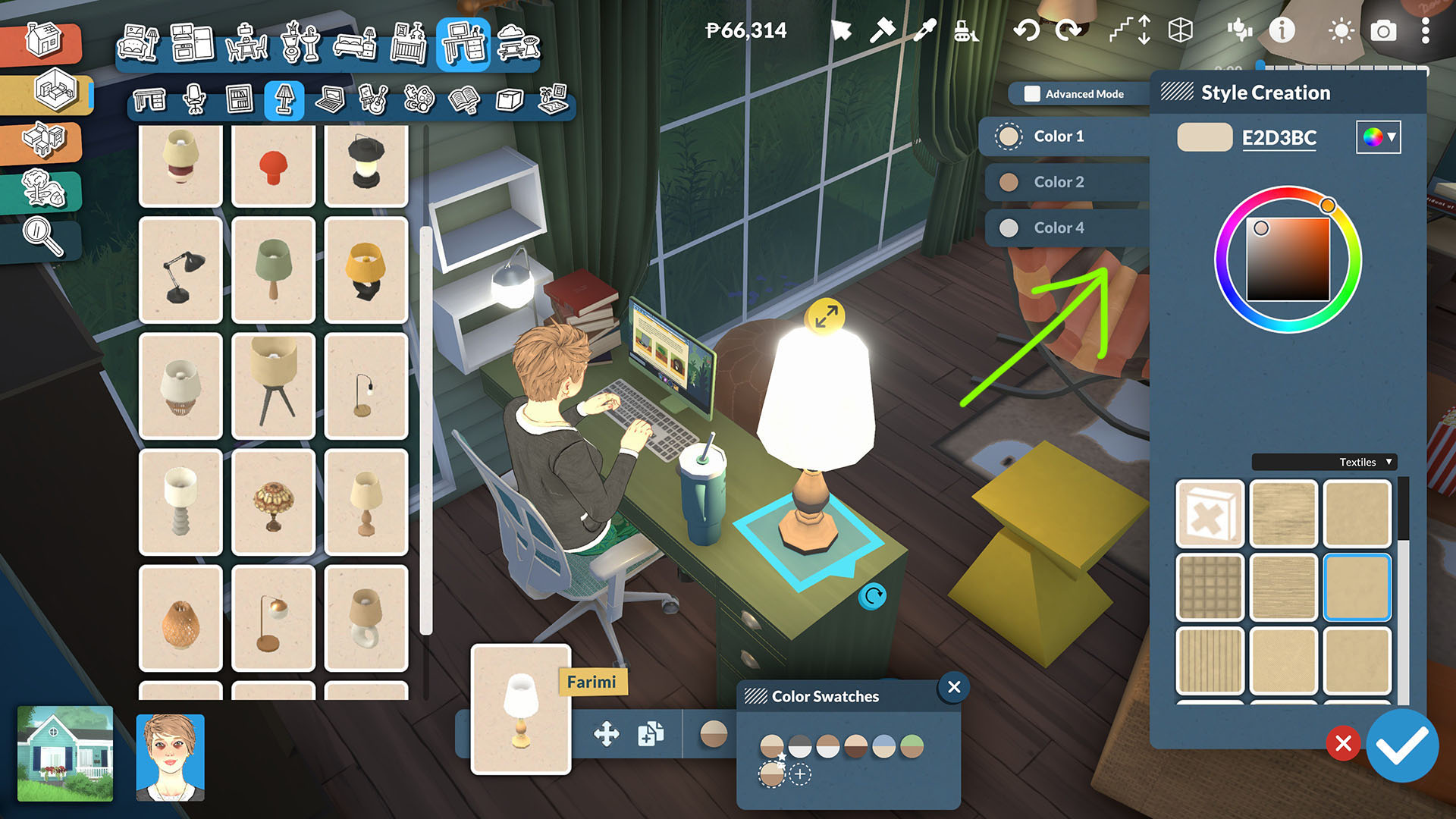
Entering Advanced Mode
Once you’re in there, click ‘Advanced Mode’ at the top, and you’ll see options to tweak the light’s color and brightness.
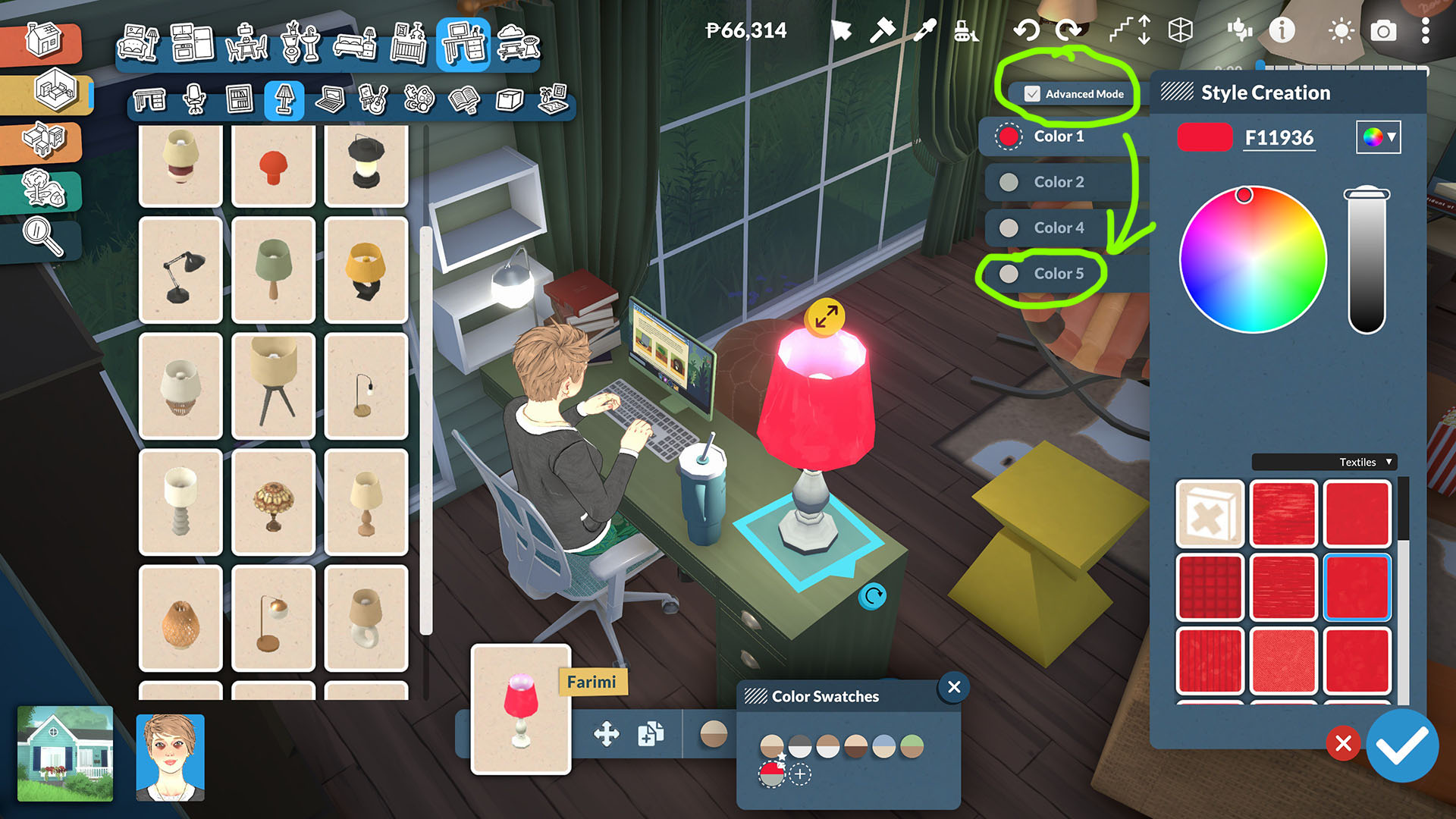
Using the Color Wheel and Final Adjustments
Switching Between Color Wheel Styles
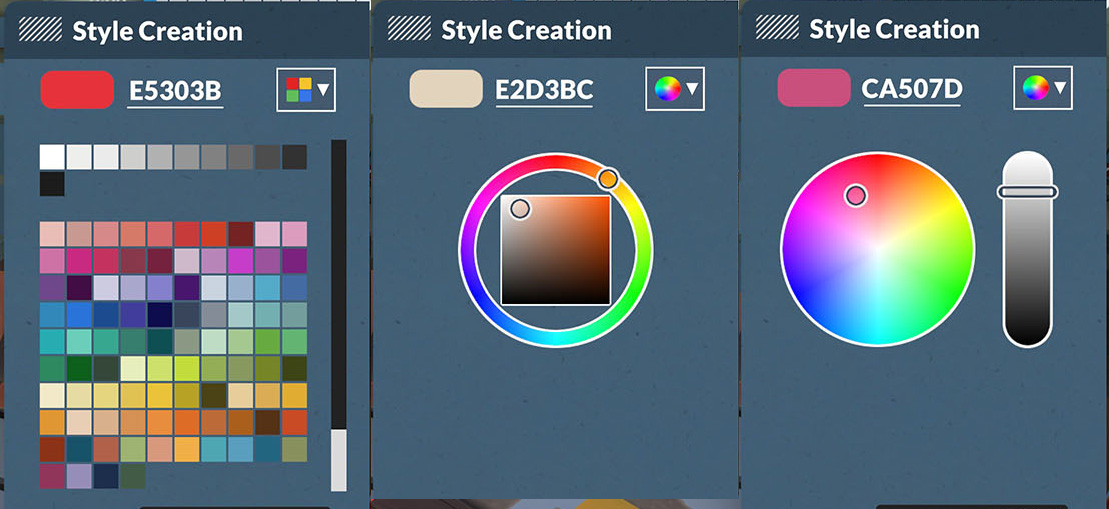
You can even switch up the color wheel style: just click the small color wheel icon on the right to cycle through 3 different styles.
Final Result
And that’s it — now you can freely adjust the color and brightness of your lights however you like!